Everyone manages agency projects differently. Some rely on email threads, others prefer visual boards or calendars, and some still manage tasks in spreadsheets.
But when you’re running an agency with multiple clients, campaigns, deadlines, and team members, you need project management software that keeps everyone aligned. Especially with remote and hybrid teams becoming the norm, agencies need a tool that helps manage client work, improve collaboration, track billable time, and keep projects moving without constant follow-ups.
The good news? We’ve done the research for you. Below, we’ve gathered some of the best project management software for agencies available today.




What is project management software for agencies?
Project management software for agencies helps teams organize client work, manage tasks, track deadlines, and collaborate across multiple projects at the same time. It acts as a central workspace where creative, marketing, development, and account teams can coordinate work without losing visibility.
Unlike general task management tools, agency project management software is built to handle client communication, resource allocation, campaign planning, approvals, and time tracking — all while keeping projects profitable and on schedule.
Most platforms include features such as task management, calendars, workload planning, time tracking, project templates, file sharing, and progress reporting.
Key functions of project management software for agencies
- Client and project overview
- Task management
- Team collaboration
- Resource planning and workload management
- Time tracking and billable hours
- File sharing and documentation
Good agency project management software combines task management, collaboration, scheduling, and reporting into a single platform. Instead of switching between multiple apps, teams can manage projects, communicate with clients, monitor deadlines, and track progress all from one dashboard.
With the right software, agencies gain full visibility into who’s working on what, project timelines, team capacity, and client deliverables — helping projects stay organized and clients stay happy.
Our top four picks for project management software for agencies
After testing a wide range of tools, we selected the top project management software for agencies that help teams streamline workflows, improve collaboration, and manage client work more efficiently.
Each platform stands out for its ability to handle multiple projects, support agency workflows, improve team coordination, track time and resources, and simplify day-to-day project management.
1. Bordio
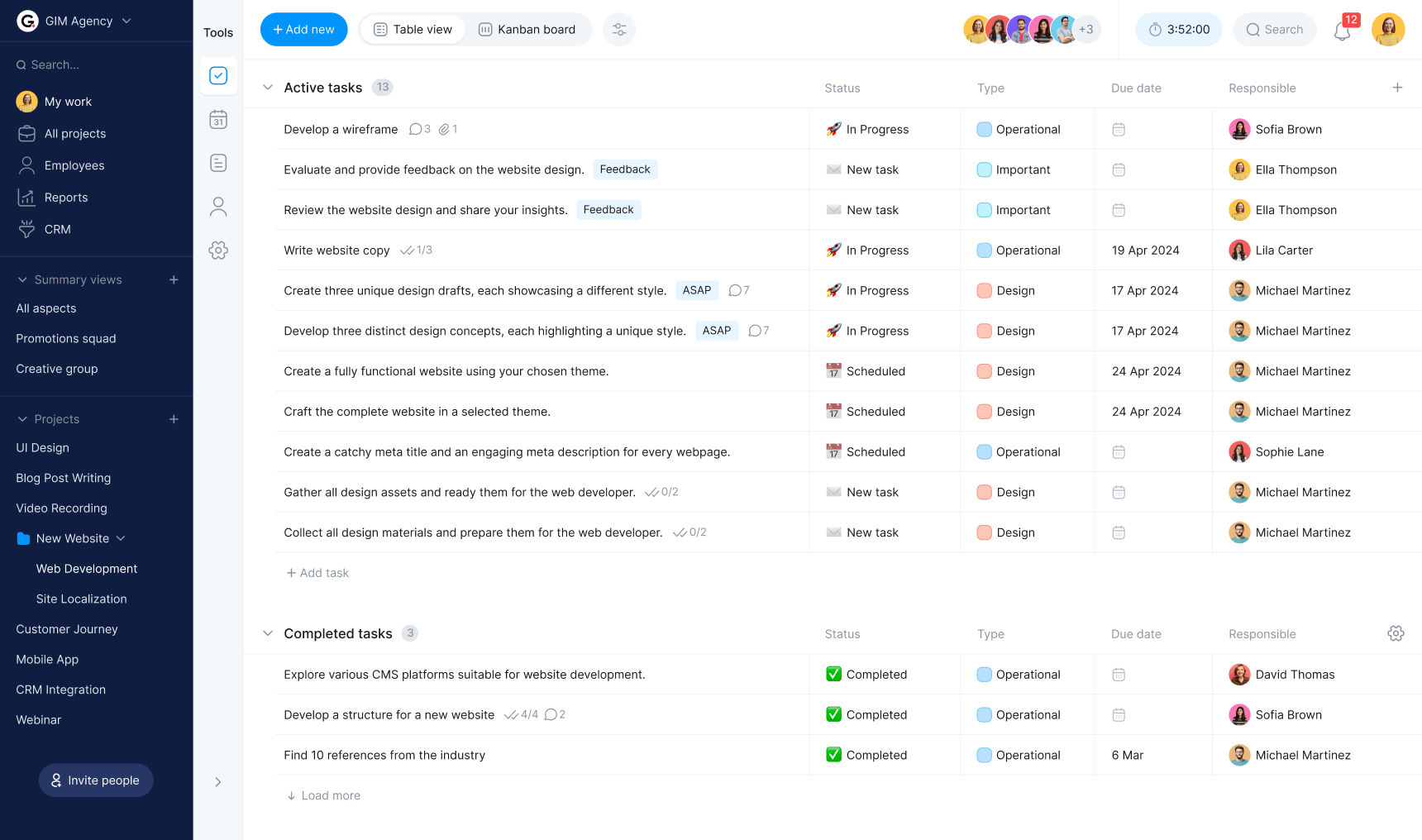
With Bordio’s advanced functionality, intuitive interface, and agency-focused task management features, teams get an all-in-one solution for managing client projects smoothly from start to finish. Bordio is designed to support the fast-paced workflows agencies deal with every day — from campaign planning and task execution to team collaboration and client delivery.
The platform uses a simple calendar-based system that gives agencies a clear overview of ongoing work, deadlines, meetings, and priorities in one centralized dashboard. Instead of overwhelming users with endless to-do lists, Bordio provides a clean day-to-day project view enhanced with color coding for faster navigation and better visibility across projects and clients.
Bordio also includes practical features such as task estimates, due dates, and waiting lists for low-priority tasks, helping agency teams stay focused on high-impact work. Customizable notifications keep everyone informed about upcoming deadlines, approvals, and deliverables, making project coordination much easier. Since Bordio is fully accessible on mobile devices, agency teams can stay connected and manage work on the go — whether they’re in the office, working remotely, or meeting clients.
Project scheduling for agencies
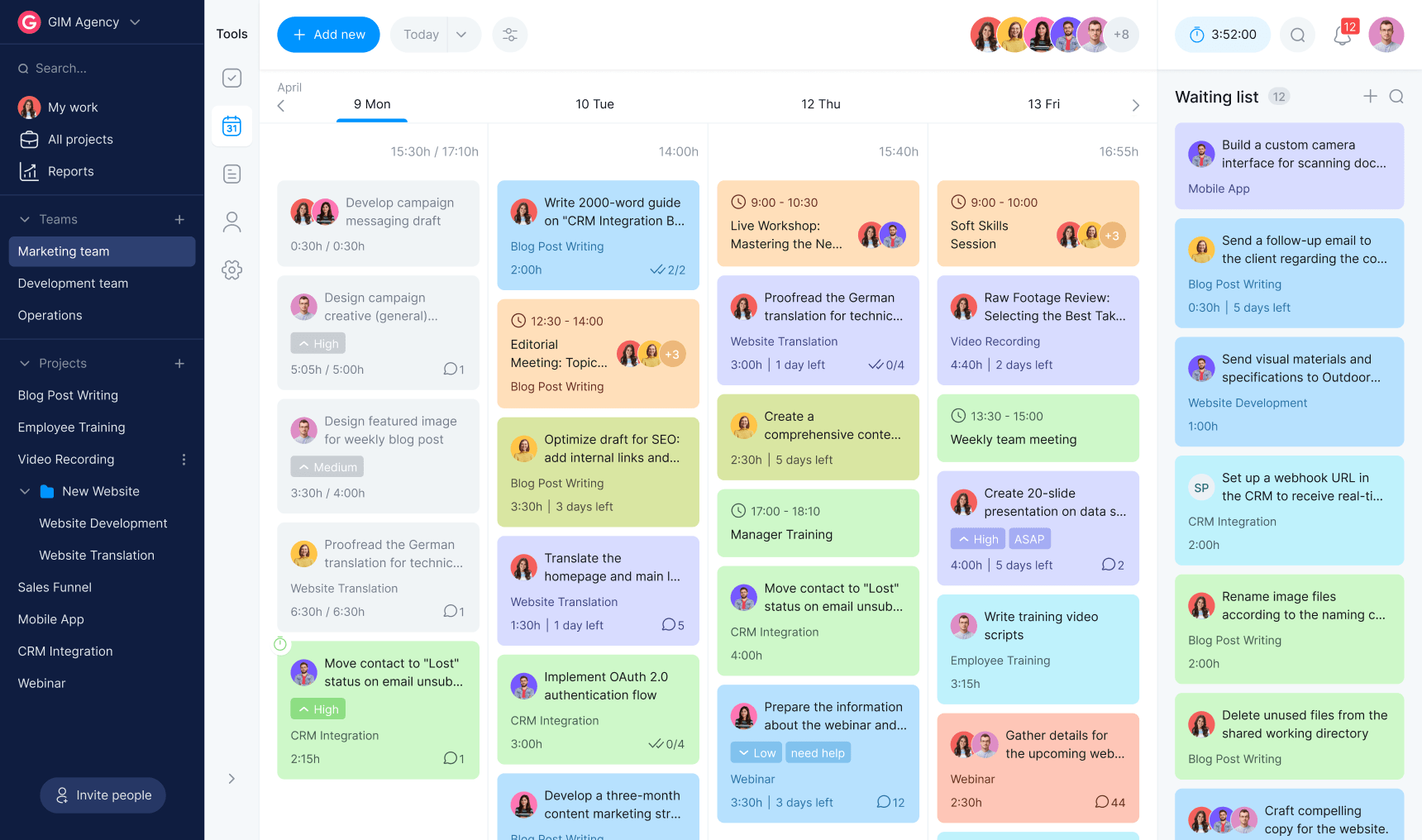
Managing multiple client projects becomes much easier with Bordio’s scheduling tools. Using the main board view, agencies can map out tasks, meetings, content deadlines, campaign launches, and internal events for the entire week, creating a clear project timeline for everyone involved.
This shared schedule helps teams stay aligned on priorities, deadlines, and deliverables. With all project activities visible in one place, agencies can avoid missed deadlines, reduce confusion, and improve project delivery across departments and clients.
Kanban board for workflow management
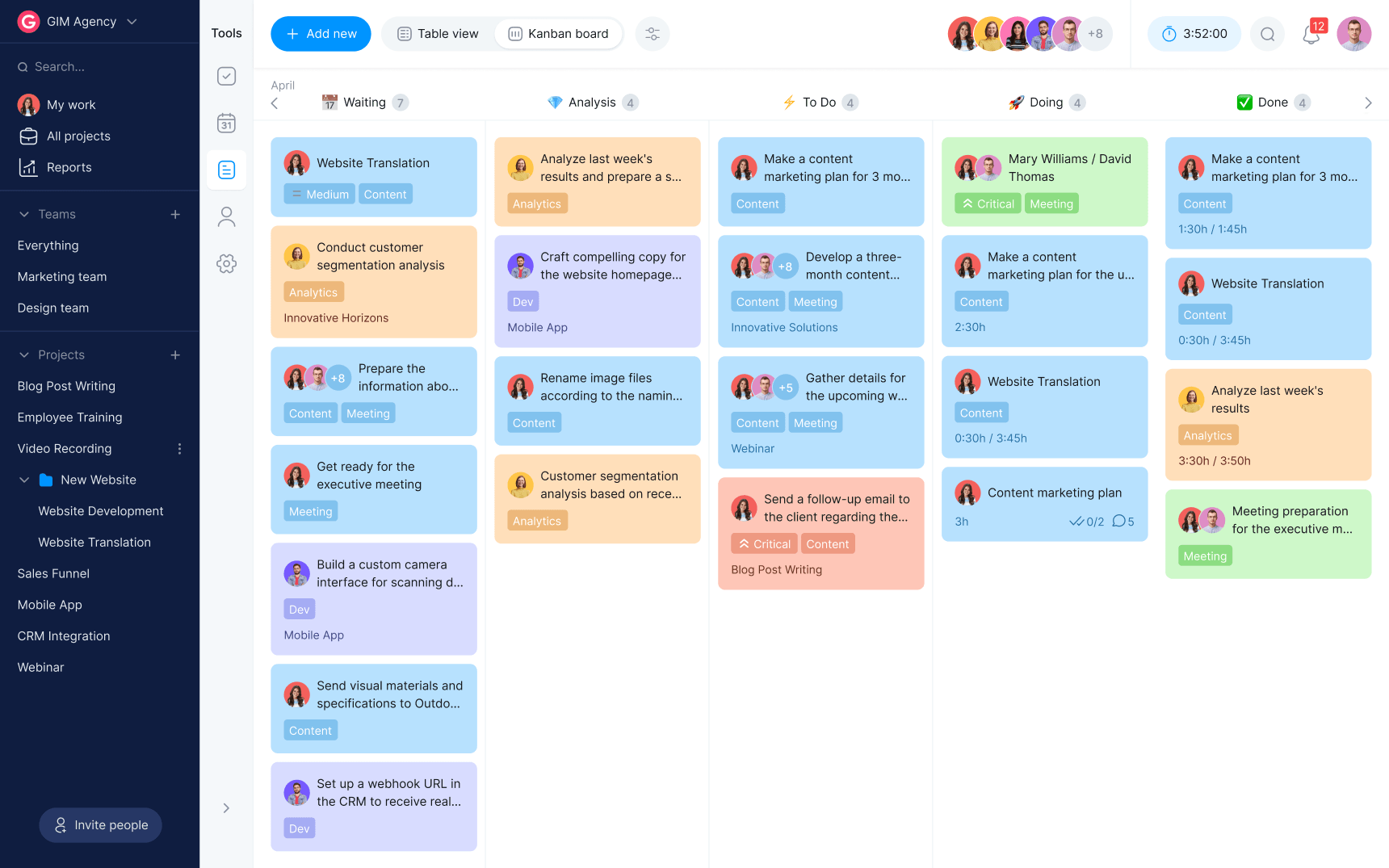
Bordio’s Kanban board gives agencies a visual overview of project progress and task statuses in real time. Teams can customize boards with different columns, workflows, and color labels to match their agency processes — whether it’s content production, creative approvals, development sprints, or campaign management.
Tasks can be easily filtered by team member, status, or project, allowing managers to quickly identify bottlenecks or overloaded team members. Moving tasks through different stages is simple with drag-and-drop functionality, helping agencies maintain smooth workflows and improve team efficiency.
Team communication and collaboration
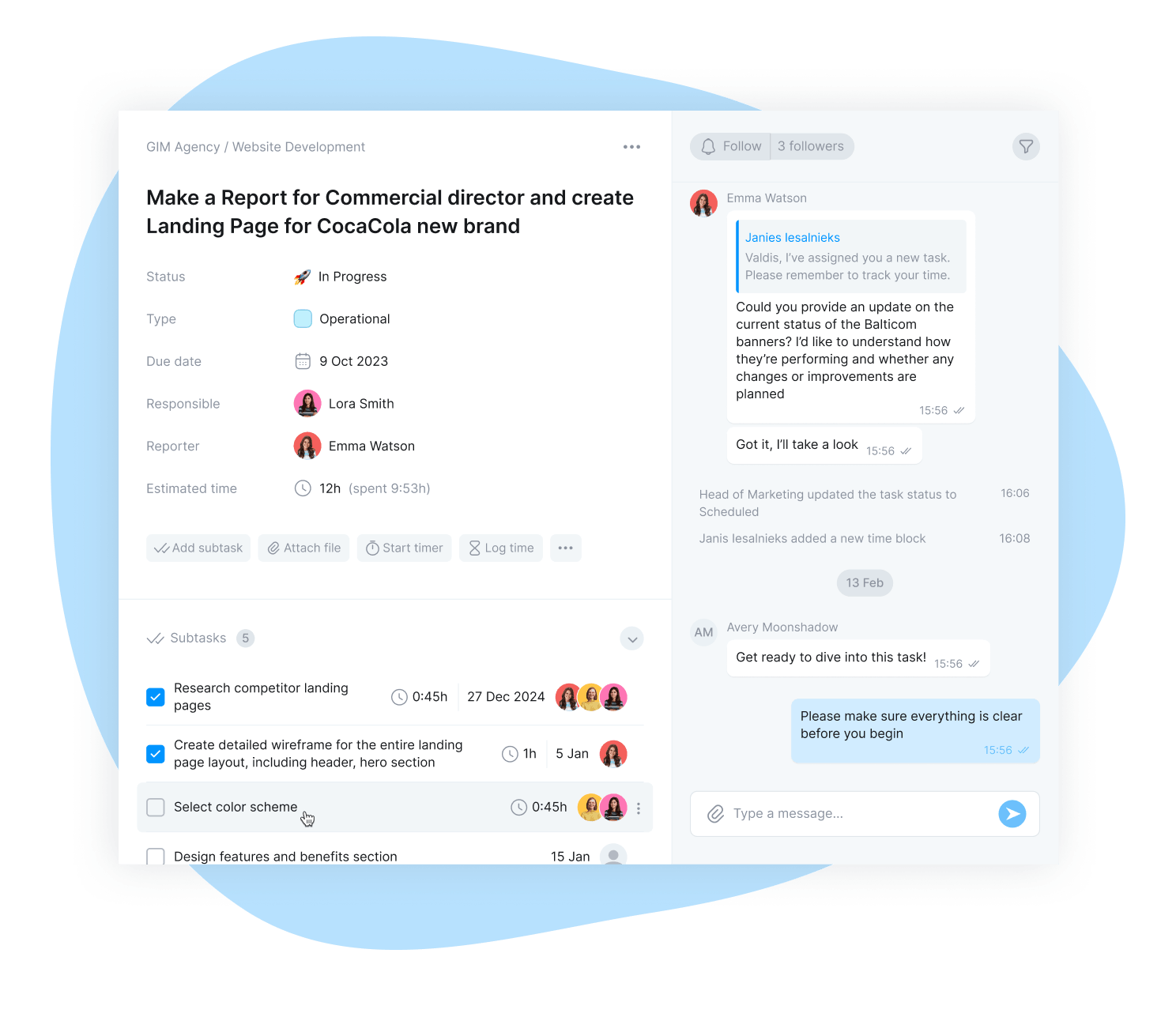
Fast communication is essential in agency environments where priorities can change quickly. Bordio’s built-in real-time messaging allows team members to communicate instantly without switching between multiple apps or tabs.
All conversations are connected directly to tasks, making it easy to keep feedback, revisions, approvals, and updates organized in one place. This improves collaboration between designers, marketers, developers, project managers, and account teams while reducing the risk of lost information.
Project notes and client documentation
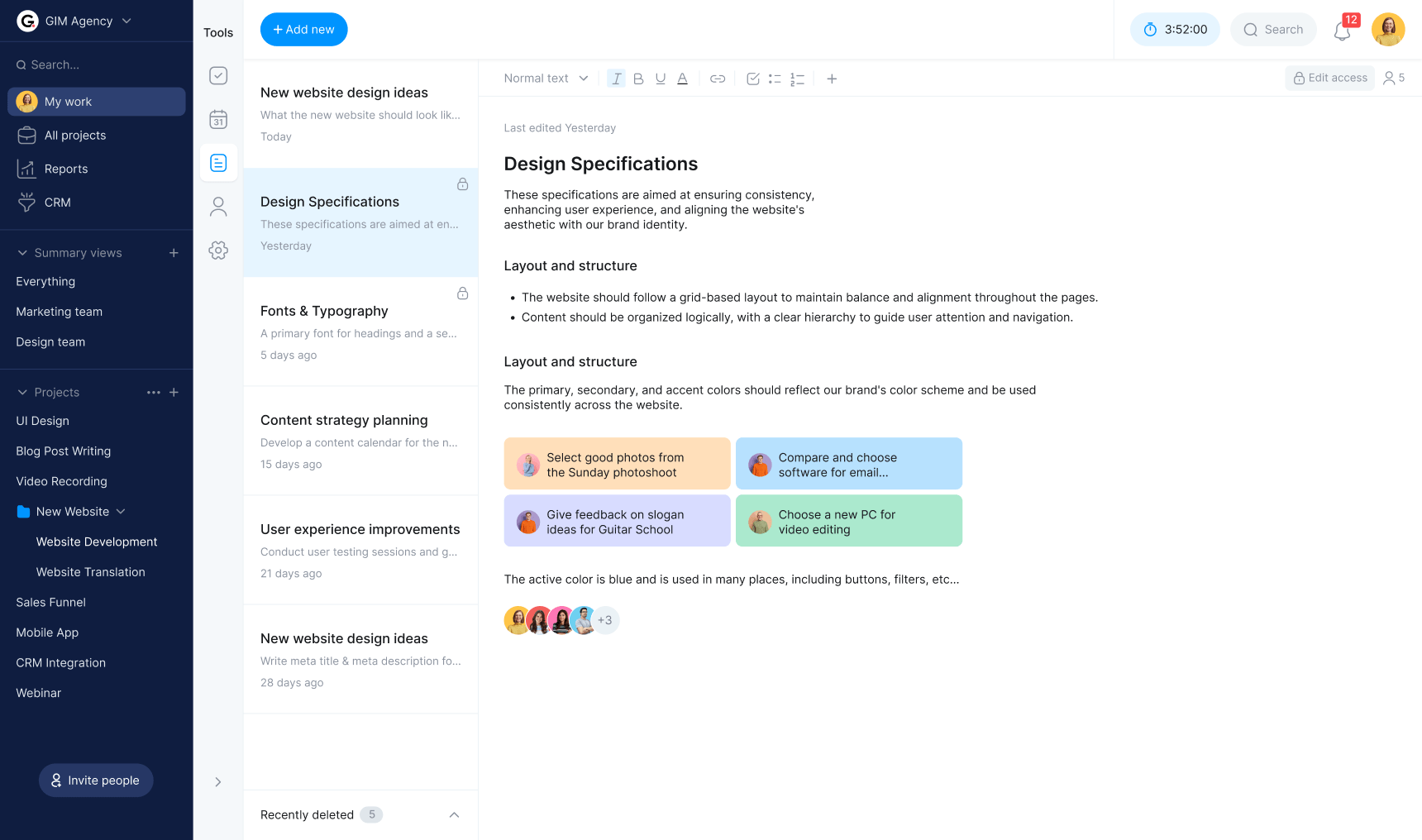
Agencies deal with large amounts of information, from creative briefs and client feedback to campaign strategies and internal processes. Bordio’s Project Notes feature acts as a centralized knowledge base where teams can create, organize, and share important project information.
Users can write notes, tag team members, collaborate in real time, and keep all project-related documentation easily accessible. The simple editing tools make it easy for any team member to contribute, helping agencies improve transparency, teamwork, and accountability.
Conclusion:
If your agency is looking for project management software that combines simplicity with practical functionality, Bordio is an excellent choice. Instead of overwhelming teams with unnecessary complexity, Bordio focuses on the features agencies actually use every day — including project scheduling, Kanban boards, real-time communication, project notes, task estimates, and workload management.
Its intuitive calendar-based interface makes it easy for both small and large agency teams to adopt quickly, regardless of experience level. Whether you’re managing marketing campaigns, creative projects, client deliverables, or internal operations, Bordio helps agencies stay organized, collaborate more effectively, and deliver projects on time.
2. Nifty
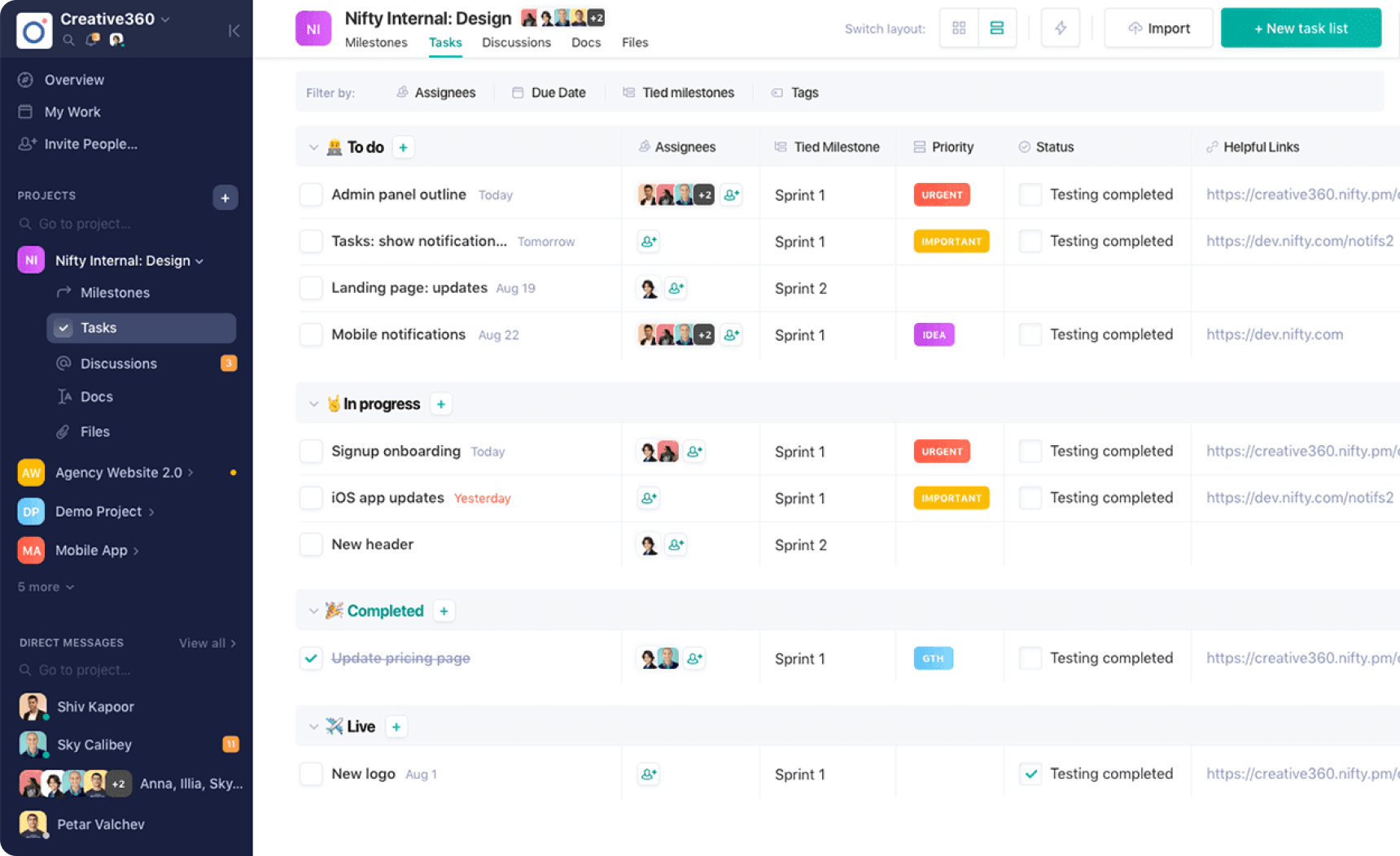
Nifty is a collaborative project management software for agencies that combines task management, communication, milestone tracking, and document collaboration in a single workspace. The platform is designed to help teams manage projects efficiently while maintaining clear communication and visibility across every stage of work.
One of Nifty’s strengths is its milestone-based project organization, which helps agencies break larger projects into manageable phases and track progress more effectively. The platform also supports document collaboration directly inside the app and integrates with Google Docs for additional flexibility.
Key features:
- Milestone-based project organization for tracking major deliverables and deadlines.
- Task management within milestones for better workflow visibility.
- Built-in discussion boards that improve team communication and collaboration.
- Integrated document tools and Google Docs support for brainstorming, planning, and content creation.
Conclusion
Nifty offers agencies a modern and collaborative approach to project management by combining communication, milestone tracking, and workflow management into one platform. Its focus on project goals and progress tracking makes it especially useful for creative and client-service teams managing long-term campaigns or complex projects. While its workflow style may not suit every agency, it provides a refreshing alternative for teams looking for a more collaborative project management experience.
3. Teamwork
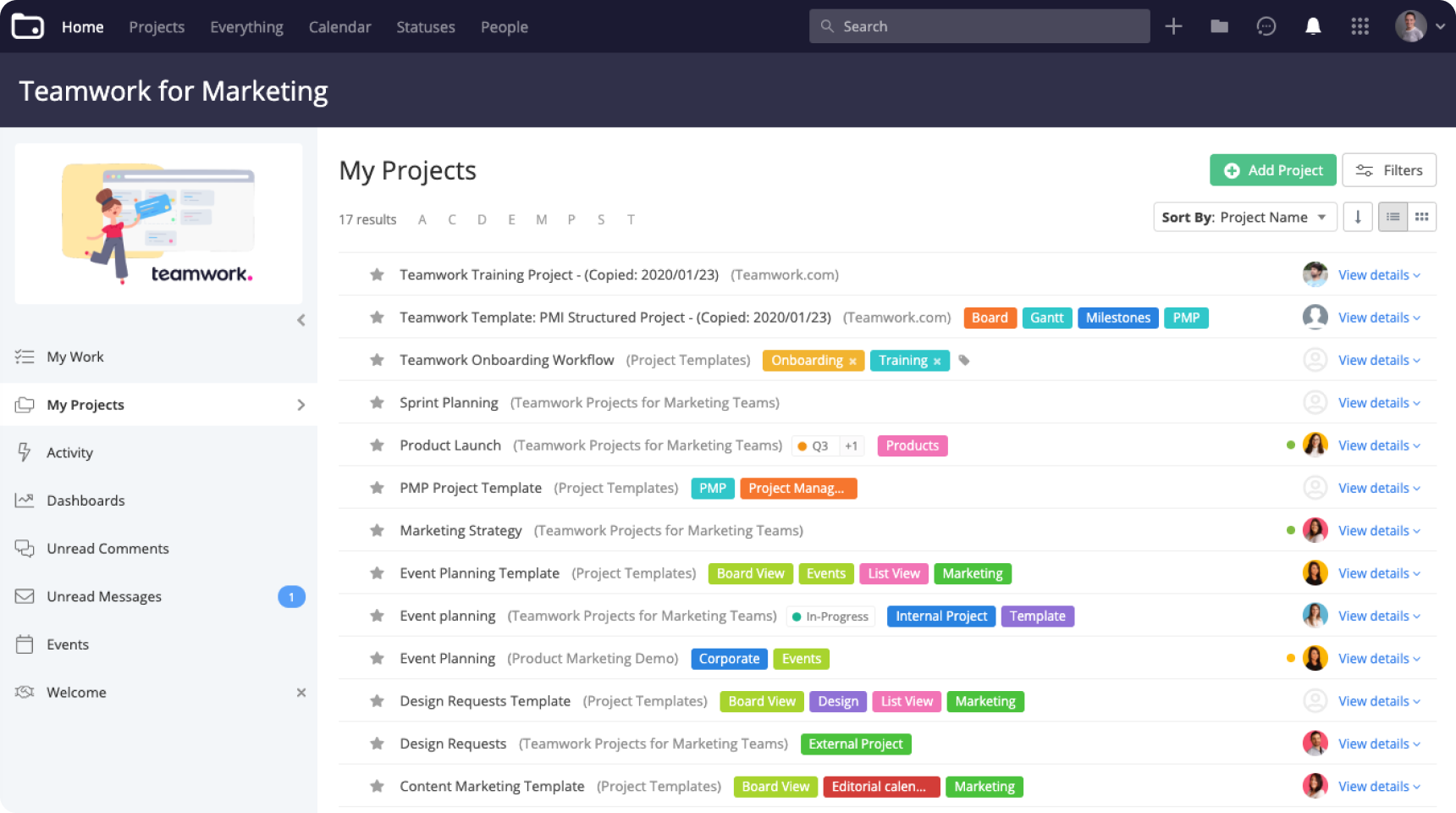
Teamwork is a popular project management software for agencies that need a balance between advanced functionality and ease of use. It offers a comprehensive set of tools for managing client projects, improving team collaboration, tracking billable hours, and organizing day-to-day agency operations without the complexity of enterprise-level platforms.
The platform is especially useful for agencies that regularly work with external clients, thanks to its built-in collaboration, invoicing, and resource management features. Teams can easily organize projects, assign responsibilities, manage schedules, and keep communication centralized.
Key features:
- A clean dashboard that helps agency teams focus on current priorities and upcoming deadlines.
- Email integration that allows users to reply to comments and notifications directly from their inbox.
- Built-in time tracking and invoicing tools for monitoring billable hours and generating client invoices.
- File sharing, task comments, and real-time updates that improve collaboration between teams and clients.
Conclusion:
Teamwork simplifies agency project management by combining collaboration, scheduling, billing, and resource management in one platform. It’s particularly valuable for agencies that manage client work and need better visibility into project timelines, workloads, and billable hours. With its intuitive interface and practical feature set, agencies can improve productivity, streamline communication, and keep projects on track.
4. Monday
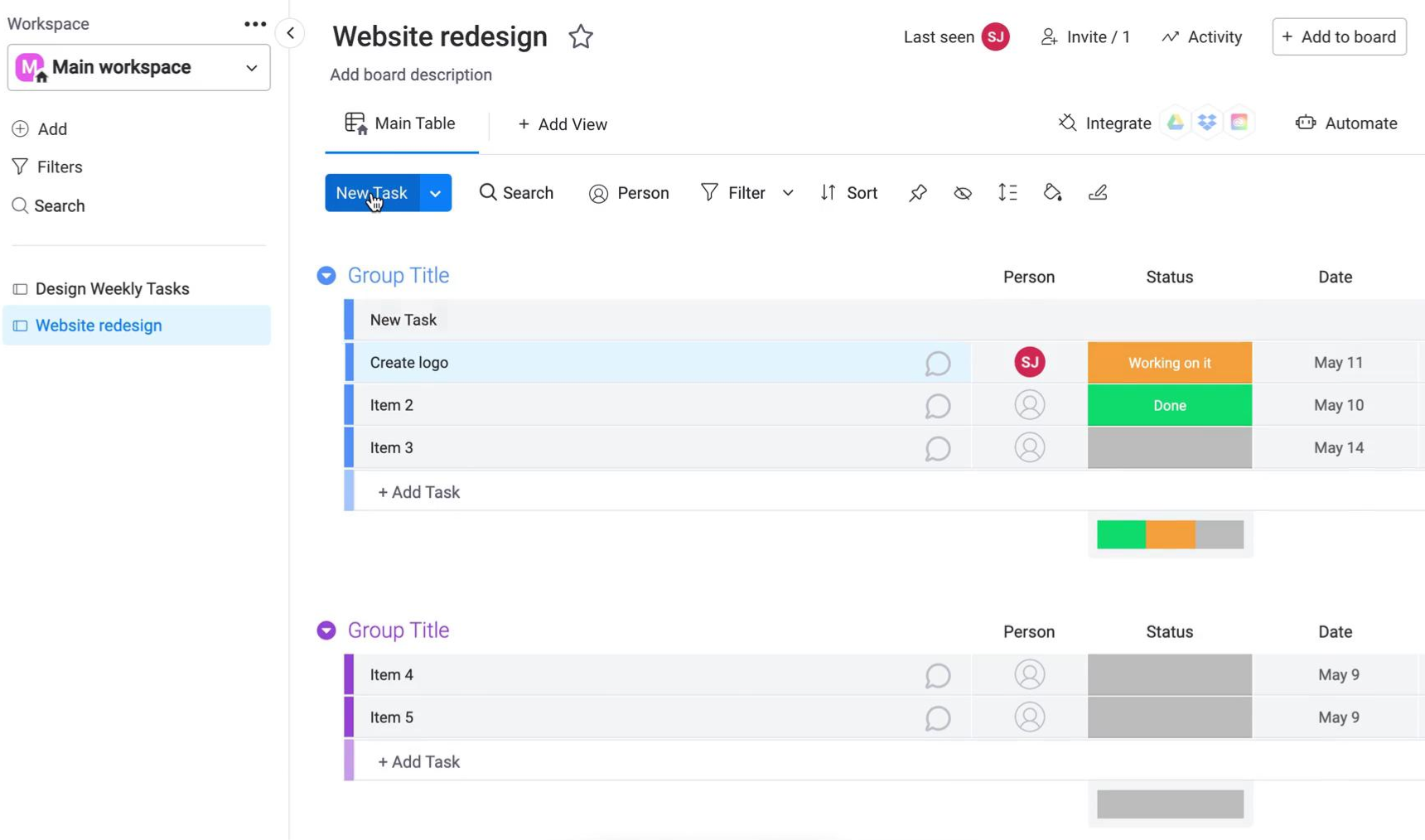
Monday.com is more than a standard task management platform — it’s a flexible project management solution designed to help agency teams collaborate efficiently and deliver projects successfully. The software includes essential tools for managing tasks, resources, timelines, and team workloads while offering highly customizable workflows that adapt to different agency processes.
Its visual dashboards and ready-made templates make it easier for agencies to organize campaigns, creative workflows, client deliverables, and internal operations in one place.
Key features:
- Gantt charts for a clear overview of project timelines and dependencies.
- Customizable dashboards that simplify project reporting and client collaboration.
- Automation tools that reduce repetitive administrative tasks.
- Built-in timers for accurate time tracking and workload monitoring.
Conclusion
Monday.com helps agencies streamline workflows and improve project visibility across teams and clients. Its customizable structure allows agencies to build workflows that fit their specific processes, while automation and reporting tools help teams save time and improve efficiency. Features like workload management and task tracking are particularly useful for agencies juggling multiple clients and deadlines at once.
Other options worth checking out
- Hive is a collaborative project management platform designed to help agencies improve teamwork, communication, and workflow organization. With a variety of project templates and productivity tools, teams can manage client projects, track progress, and collaborate efficiently from a single workspace.
- Workast functions as a digital task management system that helps agency teams stay organized and productive. Project managers can assign tasks, set deadlines, and collaborate directly within the platform, while customizable workspaces allow agencies to adapt workflows to their specific needs.
- MeisterTask offers a clean and easy-to-use interface that helps agencies organize projects, assign tasks, and monitor progress without unnecessary complexity. Its Kanban-style boards provide a visual workflow that makes project tracking intuitive for both managers and team members.
- Wrike is a cloud-based project management software that helps agencies manage multiple projects simultaneously while keeping workloads organized and efficient. The platform includes resource planning, budgeting, and time-tracking tools that help agencies maximize productivity and improve project visibility.
- Jira is one of the most recognized project management tools, especially among software development and technical teams. Agencies handling web development, product design, or complex technical projects often use Jira to manage workflows, track progress, and streamline project execution.
- Basecamp is a straightforward project management solution designed for small businesses and growing agencies. Despite its simplicity, it includes many essential project management features such as task organization, communication tools, file sharing, and scheduling.
- Airtable combines project management with the flexibility of a customizable database, allowing agencies to organize projects, campaigns, and workflows in highly visual and creative ways. Teams can tailor views, workflows, and layouts to match their processes while keeping collaboration engaging and intuitive.
- Asana is one of the most widely used project management platforms for agencies and teams of all sizes. It helps organize projects, structure workflows, assign responsibilities, and track progress from a centralized workspace.
- Trello uses a simple Kanban-style approach that makes task organization and project tracking easy to understand and manage. Teams can create boards, organize tasks into cards, and move work through different project stages with a simple drag-and-drop system.
- ClickUp is a highly flexible project management platform that works particularly well for larger agency teams and remote environments. The software offers extensive customization options for task management, planning, documentation, and reporting.
- Workfront is an enterprise-level project management solution built for large teams, marketing departments, and agencies managing complex workflows. The platform supports planning, execution, reporting, and digital asset management in a single environment.
- Notion combines project management, note-taking, documentation, and collaboration into one customizable workspace. Agencies can create tailored project hubs, content calendars, client portals, and internal knowledge bases depending on their workflows.
- ProofHub is an all-in-one project management and collaboration platform built to reduce operational chaos and improve team coordination. It combines task management, communication, planning, and file sharing into a centralized workspace that supports a wide range of agency workflows.
- With Zoho Projects’ offers project management and collaboration tools that help agencies work efficiently from anywhere. The platform includes chat, file sharing, reporting, CRM integrations, and workflow automation features that support both small teams and larger organizations.
- SmartTask is a productivity-focused project management platform known for its reminders, reporting tools, and time-tracking capabilities. Agencies can use real-time dashboards, customizable workflows, and automated notifications to stay on top of deadlines and project performance.
- Toggle is a popular time-tracking solution for agencies that prioritize accurate reporting and billable hour management. The platform provides detailed tracking options for projects, tasks, and teams, helping agencies gain better visibility into productivity and profitability.
Why agencies need project management software?
Agencies manage multiple clients, campaigns, deadlines, approvals, and team members at the same time. Keeping everything organized while ensuring projects move forward smoothly can quickly become overwhelming without the right system in place.
That’s why project management software has become an essential tool for agencies of all sizes. It helps teams stay aligned, improve communication, manage workloads, and deliver client projects more efficiently.
Here are some of the biggest reasons agencies benefit from using project management software.
Better planning and scheduling
Project management software helps agencies organize projects, build timelines, assign responsibilities, and schedule work more effectively. Teams can break large client projects into smaller tasks, prioritize deliverables, and ensure deadlines are clearly visible to everyone involved.
With centralized scheduling tools, agency teams can coordinate meetings, campaign launches, content production, design reviews, and client approvals in one place. Automated updates and notifications also help teams collaborate faster, even when working remotely or across different departments.
For project managers and agency owners, this creates a much clearer overview of workloads, timelines, and project progress.
Improved project tracking
One of the biggest advantages of agency project management software is real-time progress tracking. Teams can monitor project timelines, task completion, campaign milestones, and workloads through dashboards, reports, and visual workflows.
This visibility helps agencies identify delays, bottlenecks, or resource issues before they become serious problems. As a result, projects are more likely to stay on schedule and within budget.
Detailed reporting also gives agencies valuable insights into team performance, workflow efficiency, and areas that may need improvement.
Better forecasting and resource management
Many project management platforms include forecasting and workload management tools that help agencies plan ahead more accurately. Managers can estimate project timelines, monitor team capacity, and predict potential delays or resource conflicts before they affect delivery.
This is especially important for agencies juggling multiple clients and deadlines simultaneously. Better forecasting helps agencies avoid overloading employees, improve productivity, and maintain healthy profit margins.
Centralized client and project information
Without project management software, agencies often rely on disconnected tools like spreadsheets, emails, chat apps, and shared drives to manage work. This scattered approach makes it harder to find information, track updates, and maintain consistency across projects.
Project management software centralizes everything into one workspace — including tasks, conversations, files, timelines, notes, feedback, and project updates. This makes it easier for teams to stay organized and access important information whenever they need it.
For agencies, having all client and project-related data in one place improves efficiency and reduces communication gaps.
Stronger team collaboration
Agencies rely heavily on collaboration between designers, marketers, developers, account managers, and clients. Project management software improves teamwork by creating a shared workspace where communication, file sharing, approvals, and updates happen in real time.
Features like task comments, automated reminders, notifications, and shared dashboards help teams stay connected and aligned throughout every project stage.
This collaborative environment helps agencies reduce misunderstandings, speed up feedback cycles, and improve overall project delivery.
Keeps everyone aligned
Successful agency work depends on everyone understanding priorities, responsibilities, and deadlines. Project management software keeps teams aligned by clearly displaying task ownership, project status, priorities, and upcoming deliverables.
Instead of relying on scattered communication or manual updates, agency teams can quickly see what needs attention and what stage every project is currently in.
This level of transparency helps agencies work more efficiently, improve accountability, and deliver better results for clients.
The 4 phases of the agency project management lifecycle
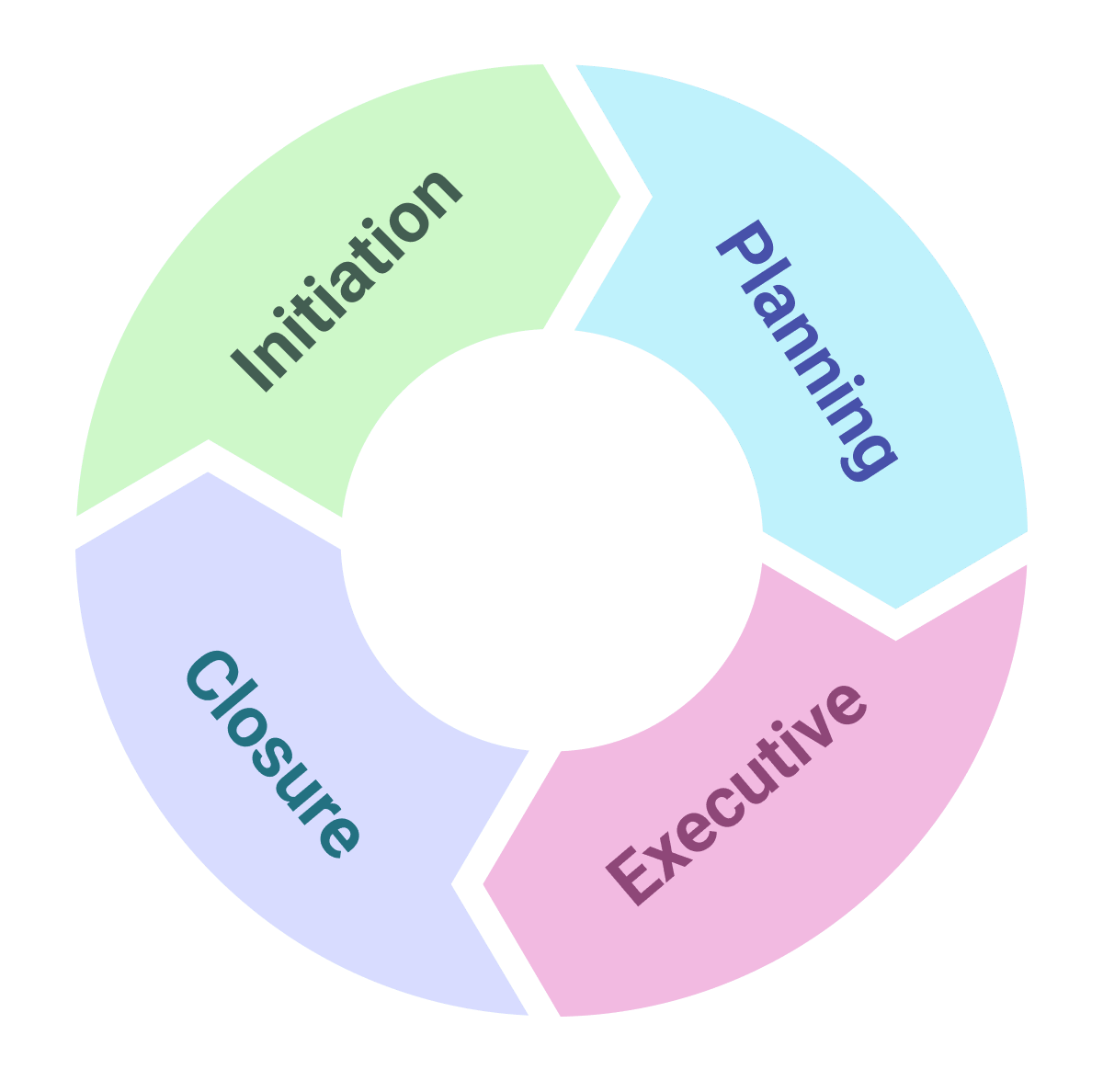
Before choosing the right project management software for your agency, it’s important to understand how the agency project lifecycle works. Every client project — whether it’s a marketing campaign, creative production, website development, or branding project — typically moves through several key stages.
Understanding these phases helps agencies select software that supports their workflows, improves collaboration, and keeps projects on track from start to finish.
Here’s a simplified breakdown of the agency project management lifecycle:
1. Project initiation
The initiation phase focuses on understanding the client’s needs, project goals, and business objectives. During this stage, agencies gather requirements, define the project scope, identify opportunities, estimate budgets, and determine whether the project is feasible.
This phase often includes client discovery calls, proposal creation, defining timelines, and outlining key deliverables. Clear project initiation helps agencies avoid misunderstandings later and sets expectations for both the team and the client.
2. Project planning
Once the project is approved, agencies move into the planning phase. Large projects are broken down into smaller tasks, responsibilities are assigned, timelines are created, and workflows are organized across departments.
This is where project management software becomes especially valuable. Agency teams can create task lists, assign deadlines, allocate resources, build content calendars, and organize approval processes in one centralized workspace.
Proper planning helps agencies stay organized, manage workloads efficiently, and avoid delays during execution.
3. Project execution
Execution is where the actual work begins. Designers, marketers, developers, writers, and account managers collaborate to complete project deliverables according to the established timeline.
During this phase, project managers monitor progress, manage resources, communicate with clients, and ensure work stays aligned with project goals. Agencies often rely on project management software to track tasks, collect feedback, manage revisions, and maintain visibility across multiple client projects simultaneously.
Strong execution processes help agencies improve productivity, reduce bottlenecks, and deliver projects more efficiently.
4. Project closure
The closure phase begins once all deliverables are completed and approved by the client. At this stage, agencies finalize assets, complete reporting, close outstanding tasks, and evaluate project performance.
Project managers typically review what worked well, identify areas for improvement, and gather insights that can improve future projects and workflows. This phase may also include invoicing, client feedback collection, and internal performance analysis.
A structured project closure process helps agencies improve long-term efficiency and maintain stronger client relationships.
Types of project management software for agencies
Nowadays, ample project management platforms are versatile and can cater to almost all project management requirements, from task management to task creation, resource management, resource allocation, and team collaboration.
Modern project management software has evolved far beyond simple task tracking. Today’s platforms combine project planning, team collaboration, resource management, communication, reporting, and workflow automation into one system.
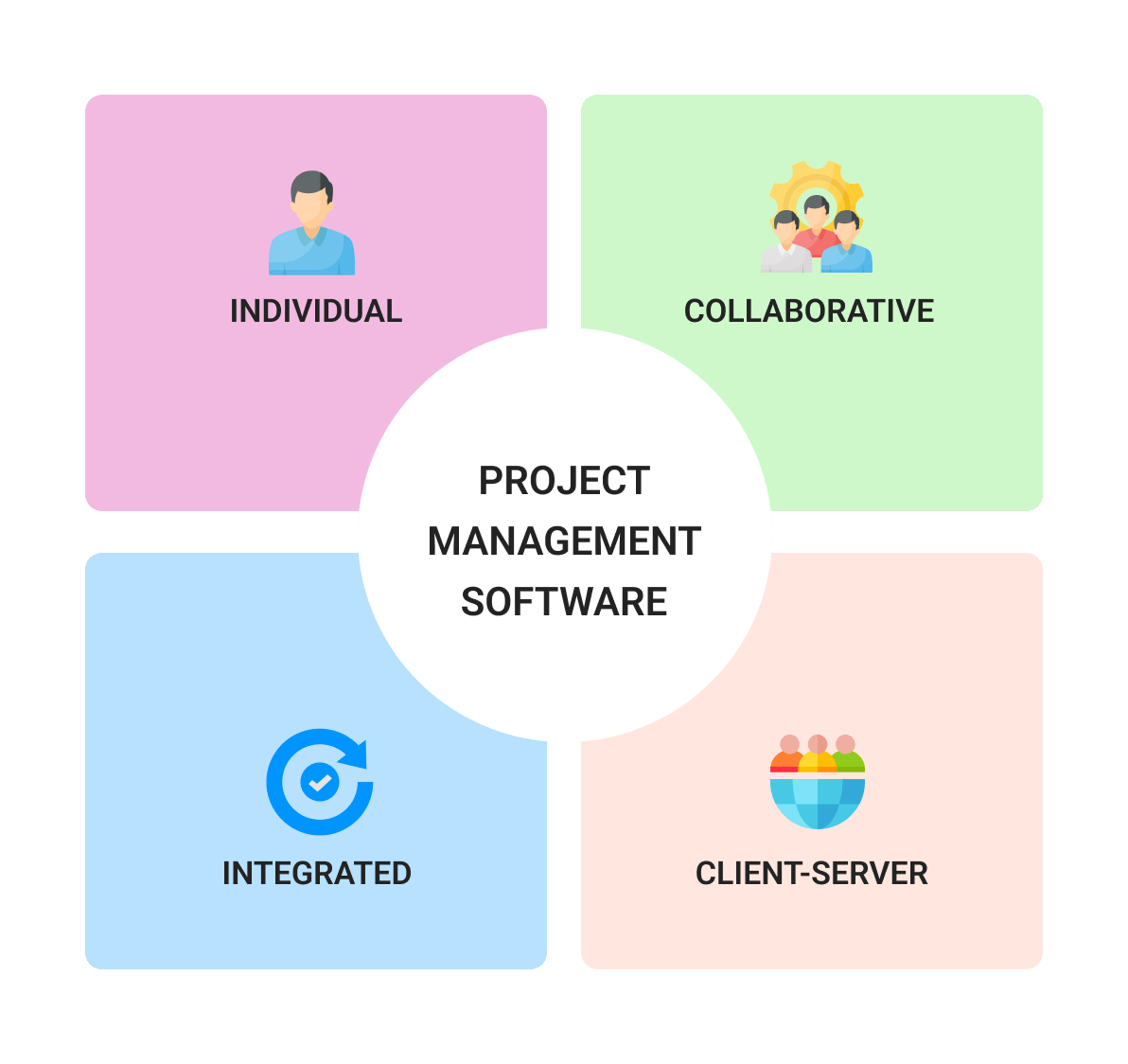
Understanding the different types of project management software can help agencies choose the right solution based on their workflows, team size, and client management needs.
1. Individual Project Management Software
Individual project management tools focus primarily on personal productivity and task organization. These platforms are designed for single users or freelancers who need a simple way to manage tasks, schedules, and deadlines.
While these tools can work for solo consultants or small creative professionals, they may lack the collaboration and client management features agencies typically need.
2. Collaborative Project Management Software
Collaborative project management software is built to improve teamwork and communication across departments and clients. Multiple users can work together, share files, leave comments, track progress, and manage tasks within a shared workspace.
These tools are ideal for agencies because they centralize communication and make collaboration easier between designers, marketers, developers, project managers, and clients.
3. Integrated Project Management Software
Integrated project management platforms combine multiple business functions into one centralized system. Alongside task and project management, they often include time tracking, reporting, resource planning, invoicing, CRM integrations, and workflow automation.
For agencies managing multiple clients and projects simultaneously, integrated software helps streamline operations and improve visibility across the entire business.
4. Client-server Project Management Software
Cloud-based project management software allows agency teams to access projects, tasks, files, and communication tools from anywhere with an internet connection. This flexibility is especially valuable for remote teams, distributed agencies, and client collaboration.
Cloud-based platforms also provide real-time updates, ensuring team members always have access to the latest project information, deadlines, and feedback regardless of location.
When should agencies invest in project management software?
If your agency is constantly dealing with missed deadlines, scattered communication, unclear priorities, or disorganized workflows, it may be time to invest in project management software.
As agencies grow, managing projects through spreadsheets, email threads, and chat apps quickly becomes inefficient. Even if those tools work in the beginning, they often create bottlenecks once you start handling more clients, larger campaigns, and bigger teams.
The best time to invest in project management software is before operational issues begin affecting productivity, client relationships, or team morale.
Here are some of the clearest signs your agency needs project management software.
Agency growth
Growth is one of the biggest indicators that an agency needs a more structured project management system. As you take on more clients, hire more team members, and manage more campaigns simultaneously, communication and coordination become much more challenging.
Project management software helps agencies create organized workflows, centralize communication, and maintain visibility across all ongoing projects. It also provides the structure needed to support long-term growth without operational chaos.
As agencies scale, project management tools become essential for handling larger workloads, more complex processes, and increased collaboration between departments.
Increased collaboration and team dependency
Smaller agencies often operate with small teams or independent contributors. But as the business grows, projects become more interconnected, and collaboration between departments becomes critical.
Designers, marketers, developers, copywriters, project managers, and account teams all need access to shared information, timelines, and project updates. Without proper systems, communication gaps and workflow issues become common.
Project management software helps agencies improve collaboration by giving everyone access to centralized tasks, files, updates, and feedback in real time. This becomes even more important for agencies working with remote employees, freelancers, or distributed teams.
Improving efficiency and reducing manual work
Managing agency operations manually often leads to duplicated work, outdated spreadsheets, missed updates, and unnecessary administrative tasks. As workloads increase, these inefficiencies can slow teams down and negatively affect project delivery.
Project management software automates repetitive tasks such as status updates, reminders, notifications, task assignments, and workflow management. This allows agency teams to spend less time on administrative work and more time on strategic, creative, and client-focused activities.
Reducing manual processes also helps prevent employee burnout and improves overall team satisfaction — especially in fast-paced agency environments.
Questions agencies should ask before choosing project management software
With so many project management platforms available, choosing the right software for your agency can feel overwhelming. Asking the right questions helps narrow down your options and identify the solution that best fits your workflows, team structure, and client management needs.
1. What type of projects will we manage?
Start by identifying the types of projects your agency handles. Are you managing marketing campaigns, creative production, software development, client onboarding, or internal operations?
The complexity and scale of your projects will help determine which features and workflows your agency actually needs.
2. Who will use the software?
Understanding your users is essential when selecting project management software. Consider the size of your team, the departments involved, and whether clients or freelancers will also need access.
A platform that works well for a small creative team may not scale effectively for a larger agency with multiple departments and external collaborators.
3. Does it simplify resource and workload management?
As agencies grow, managing workloads and team capacity becomes increasingly difficult. The right software should help you assign resources efficiently, track workloads, and rebalance priorities when deadlines shift.
Features like scheduling, workload views, and task prioritization can help agencies prevent burnout and improve productivity.
4. Will it help us launch projects faster?
Strong project setup processes are critical for agency success. Project management software with templates, workflows, onboarding forms, and reusable project structures can help teams start projects quickly and consistently.
This reduces setup time and improves project execution from day one.
5. Does it support our workflow methodology?
Different agencies use different project management styles. Some teams rely on Kanban boards, while others prefer timelines, task lists, calendars, or Gantt charts.
Before choosing a platform, evaluate how your agency manages projects and ensure the software supports the workflows your team already uses effectively.
6. What reporting and analytics do we need?
Reporting capabilities vary significantly between platforms. Some agencies may need simple progress updates, while others require advanced reporting on profitability, resource allocation, campaign performance, or billable hours.
Identifying the data your agency needs upfront will help you choose software with the right analytics and reporting tools.
7. Will it improve collaboration, approvals, and client feedback?
Agencies often struggle with scattered feedback and communication spread across emails, chats, and shared drives. Good project management software centralizes conversations, approvals, files, and revisions in one place.
This helps teams collaborate more effectively while reducing the risk of missing important client feedback or project updates.
8. Is the software flexible enough for our agency?
Every agency operates differently. Your workflows, project structures, approval processes, and reporting needs may be unique compared to other businesses.
Choosing customizable project management software allows your agency to adapt workflows, views, automations, and dashboards to fit your exact operational needs.
9. Will it reduce repetitive administrative work?
One of the biggest benefits of project management software is automation. The right platform should reduce repetitive tasks such as manual updates, status tracking, reminders, and data entry.
This gives agency teams more time to focus on creative work, client strategy, and high-value activities that drive growth.
10. Does the pricing match our needs?
Pricing is always an important consideration for agencies. Some platforms charge per user, while others offer flat pricing structures or tiered feature plans.
When evaluating costs, focus not only on price but also on whether the software includes the features your agency actually needs. Paying for unnecessary complexity can increase costs without improving productivity.
Key features agencies should look for in project management software
Agency projects often involve multiple clients, overlapping deadlines, creative approvals, team collaboration, and fast-changing priorities. Without the right systems in place, it becomes difficult to keep projects organized and maintain smooth communication across teams.
That’s why project management software has become essential for agencies. The right platform helps centralize workflows, improve collaboration, increase visibility, and reduce operational bottlenecks.
While no single tool is perfect for every agency, there are several core features that can dramatically improve how teams manage projects and client work.
1. Project calendar and scheduling
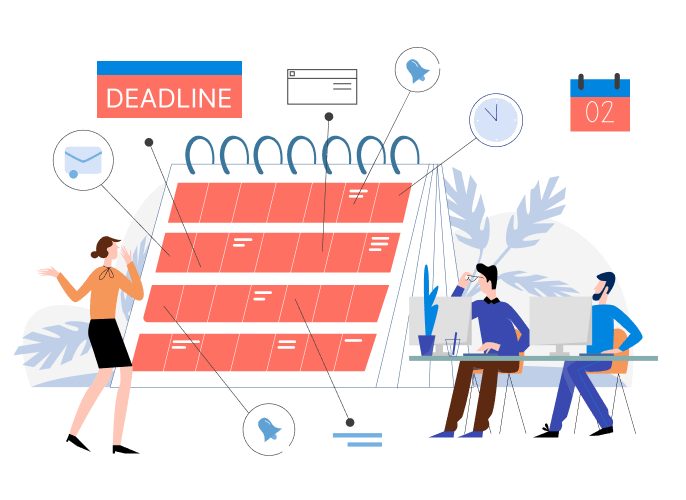
A project calendar is one of the most important features agencies should look for in project management software. While standard calendars can track meetings and deadlines, they often lack the visibility and structure agencies need to manage multiple clients and projects simultaneously.
A dedicated project calendar allows teams to organize campaigns, deadlines, meetings, content schedules, and project milestones in one centralized view.
Benefits of a project calendar for agencies:
- Plan and manage multiple client projects from one dashboard.
- Prioritize tasks, campaigns, and deadlines more effectively.
- Organize projects using color coding, statuses, and team assignments.
- View schedules daily, weekly, monthly, quarterly, or yearly.
- Improve visibility into workloads and upcoming deliverables.
For agencies juggling many moving parts, a project calendar provides the high-level overview needed to keep work organized and projects on track.
2. Team collaboration tools

Poor communication and disconnected workflows are common causes of delayed project delivery. Strong collaboration features help agency teams stay aligned, share information quickly, and work together more efficiently.
Project management software with built-in collaboration tools creates a shared workspace where designers, marketers, developers, project managers, and clients can communicate in real time.
Benefits of collaboration features include:
- Faster communication between departments and team members.
- Real-time project updates and status visibility.
- Shared files, feedback, and approvals in one place.
- Better coordination across remote and hybrid teams.
- Reduced misunderstandings and duplicated work.
For agencies, collaboration tools are essential for maintaining workflow efficiency and improving client delivery.
3. Comments & Communication

Integrated comments and messaging features help agencies centralize communication directly inside projects and tasks. Instead of relying on scattered email threads or external chat apps, teams can keep discussions connected to the work itself.
This makes it easier to track decisions, feedback, revisions, and updates throughout the project lifecycle.
Benefits of comments and communication features:
- Keep all project-related conversations centralized.
- Access both current and historical discussions tied to tasks.
- Reduce the need to switch between multiple communication tools.
- Tag team members for faster collaboration and approvals.
- Improve accountability and visibility across projects.
Keeping communication inside the project management platform helps agencies avoid confusion and maintain better workflow organization.
4. Time tracking and billable hours

Time tracking is especially important for agencies that bill clients by the hour or need visibility into team productivity and project profitability.
A built-in time tracker allows project managers to monitor how much time is spent on tasks, projects, campaigns, or individual clients.
Benefits of time tracking for agencies:
- Track billable and non-billable hours accurately.
- Monitor workloads by project, task, or employee.
- Improve project estimates and deadline planning.
- Identify bottlenecks and inefficient workflows.
- Reduce unnecessary multitasking and improve focus.
For agencies, accurate time tracking supports better budgeting, resource planning, and client invoicing.
5. Multiple project views (Kanban boards, task lists, timelines, Gantt charts)
Different agency teams prefer different ways of organizing work. Some teams work best with visual Kanban boards, while others prefer timelines, Gantt charts, or structured task lists.
The best project management software gives agencies multiple ways to visualize and manage projects depending on the workflow.
Kanban boards
Kanban boards provide a visual overview of tasks and project stages. Teams can move tasks through workflows such as “To Do,” “In Progress,” “Review,” and “Completed,” helping agencies track progress more easily.
Gantt charts and timelines
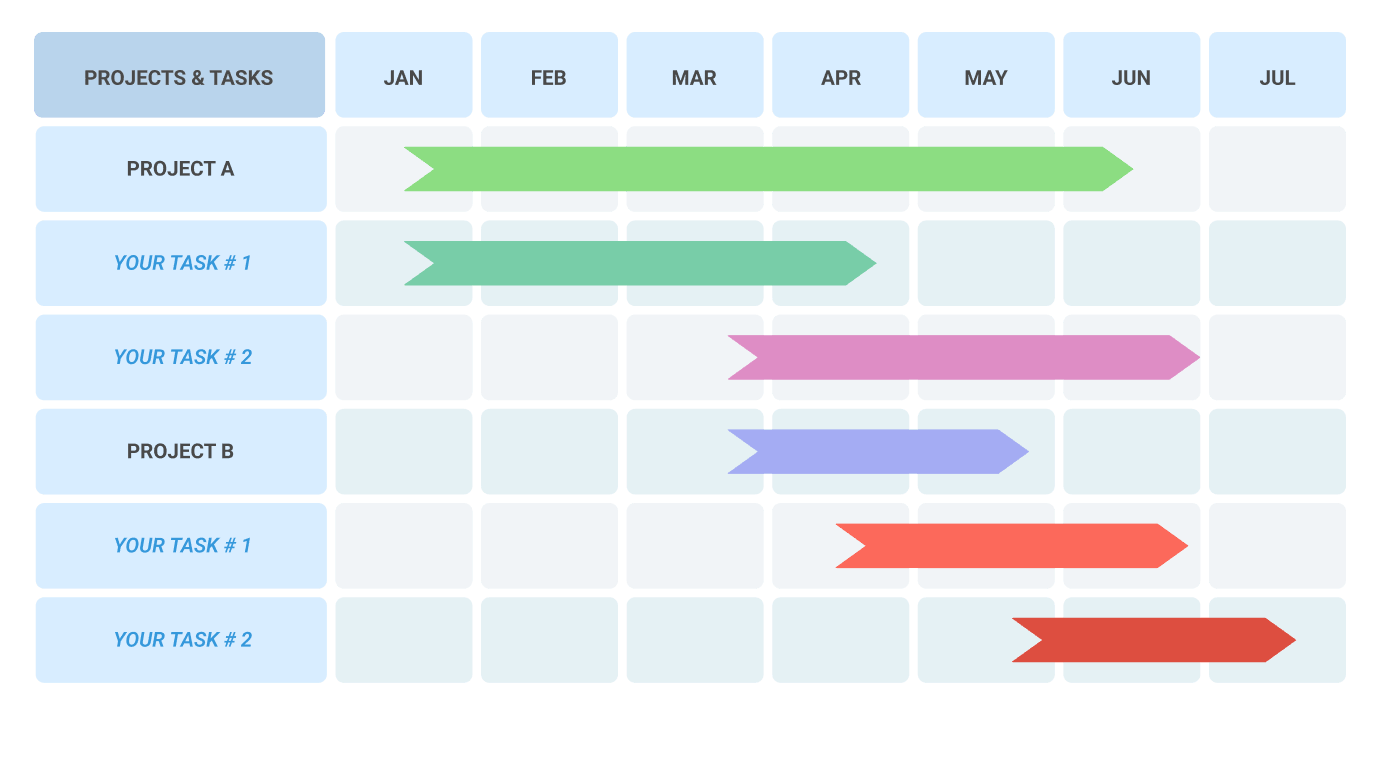
Gantt charts help agencies visualize project schedules, dependencies, milestones, and deadlines. They are particularly useful for larger campaigns and long-term projects that require detailed planning.
Task lists
Task lists offer a simple and organized overview of responsibilities, priorities, and deadlines for individual team members and departments.
Benefits of multiple project views:
- Better project visualization and workflow management.
- Improved planning and deadline tracking.
- Increased transparency across teams and projects.
- Easier workload balancing and resource allocation.
- Real-time collaboration and progress monitoring.
Flexible project views allow agencies to manage projects more efficiently while adapting workflows to different teams and clients.
6. Note-taking and documentation
Agencies constantly manage creative briefs, meeting notes, campaign ideas, client feedback, and internal documentation. Without proper organization, important information can easily get lost.
A built-in note-taking and documentation feature helps agencies centralize project knowledge and keep teams aligned.
Benefits of note-taking features include:
- Shared notes accessible to the entire team.
- Better organization of project details and discussions.
- Improved communication and project context.
- Easier access to past decisions, feedback, and updates.
- Stronger documentation for future reference.
For agencies managing multiple projects and stakeholders, centralized documentation helps maintain consistency, improve collaboration, and reduce information gaps.
How agencies can successfully implement project management software
Once your agency decides to invest in project management software, the next step is making sure the implementation process goes smoothly. Choosing the right platform is important, but successful adoption across your team is what truly determines long-term success.
A well-planned rollout helps agencies improve collaboration, streamline workflows, and avoid disruption during the transition.
Here’s a practical guide to implementing project management software in an agency environment.
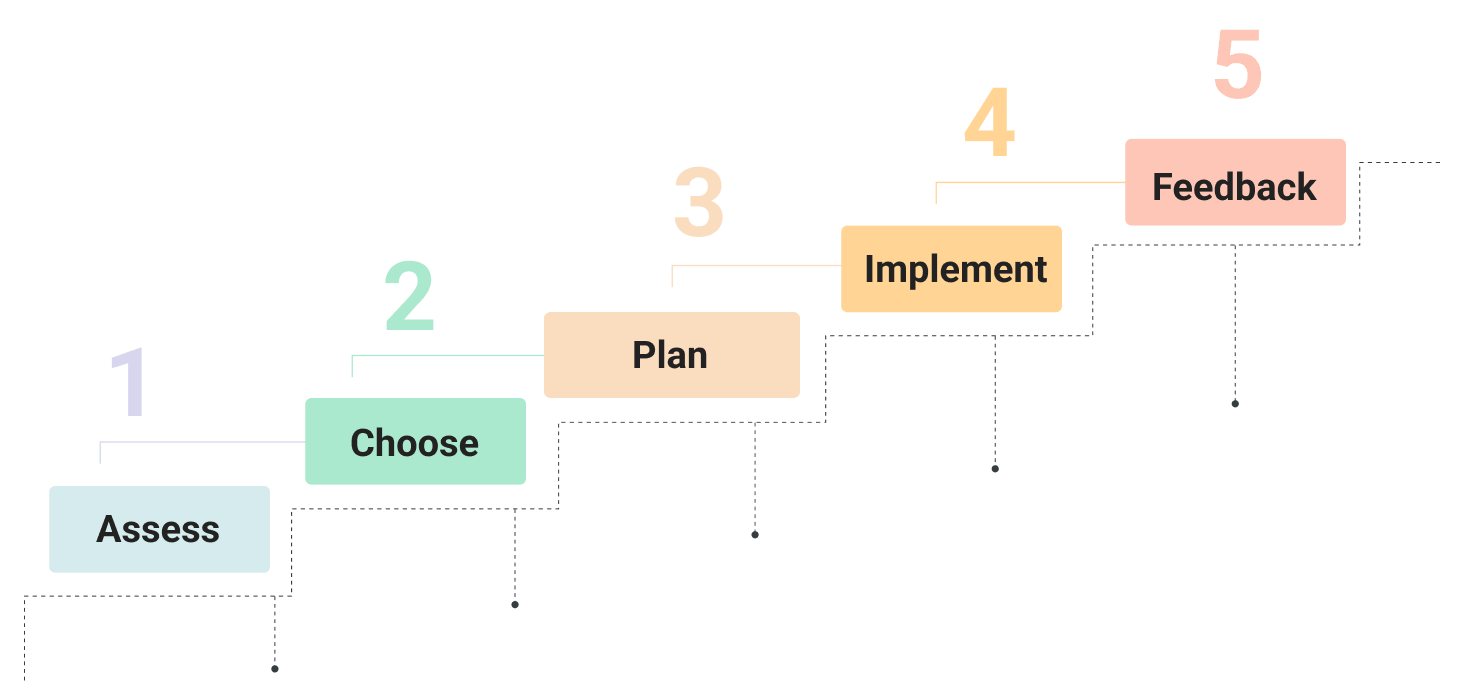
Assess your agency’s needs
Before introducing any new platform, start by identifying the biggest operational challenges your agency is currently facing. This could include missed deadlines, scattered communication, poor visibility into workloads, inefficient approvals, or difficulties managing multiple clients.
Understanding these pain points will help you identify the features your agency actually needs and estimate the potential return on investment.
The clearer your goals are, the easier it becomes to choose software that improves your workflows rather than adding unnecessary complexity.
Choose the right software for your agency
Once you understand your agency’s requirements, you can narrow down the best project management software options for your team.
Consider factors such as:
- Team size and structure
- Number of active clients and projects
- Collaboration needs
- Reporting requirements
- Time tracking and billing features
- Workflow customization
- Remote work support
- Integrations with existing tools
It’s also valuable to involve key team members in the decision-making process. Since your employees will use the platform daily, gathering feedback early can improve adoption and help ensure the software fits your agency’s workflow.
Plan the rollout carefully
Implementing project management software should be treated like any other important agency project. A structured rollout plan helps reduce confusion and improves the chances of successful adoption.
A strong implementation plan should include:
- A timeline for rollout and onboarding
- Team training sessions
- Clear communication about the transition
- Defined responsibilities for setup and administration
- Data migration planning
- Internal workflow documentation
Proper planning helps agencies minimize disruption while ensuring employees feel supported throughout the transition process.
Implement the software gradually
Whether your agency is using project management software for the first time or switching to a new platform, implementation is usually a transition period that requires patience and flexibility.
Start by migrating active projects, importing tasks, setting up workflows, and configuring dashboards. During this phase, it’s important to ensure that teams understand how to use the software effectively.
Agencies should also prepare for potential technical issues by involving IT support or assigning internal platform administrators who can assist during the rollout.
Gradual implementation often works better than trying to move every process into the new system immediately.
Gather feedback and optimize workflows
The best project management systems evolve alongside your agency. After implementation, regularly collect feedback from team members about usability, workflows, collaboration, and productivity.
This helps identify:
- Workflow bottlenecks
- Missing automations
- Unnecessary processes
- Training gaps
- Areas where customization may improve efficiency
Continuous optimization ensures the software continues supporting your agency’s growth and changing operational needs over time.
How much does project management software for agencies cost?
The cost of project management software varies depending on your agency’s size, feature requirements, and operational complexity.
Some platforms focus on lightweight task management, while others provide advanced tools for resource planning, reporting, automation, time tracking, and client collaboration.
Here are the main factors that affect pricing.
The software provider
Pricing often depends on the software vendor and its position in the market. Established platforms with strong reputations typically charge more because they offer advanced functionality, reliability, integrations, and larger support ecosystems.
Newer or smaller vendors may offer lower pricing as they compete for market share.
Agencies should evaluate not only price, but also ease of use, scalability, customer support, and long-term value.
Features and functionality
The more advanced the platform, the higher the cost is likely to be.
Basic project management tools usually include:
- Task management
- Calendars
- Team collaboration
- File sharing
More advanced agency-focused platforms may also offer:
- Time tracking
- Client billing
- Resource management
- Workflow automation
- Reporting and analytics
- CRM integrations
- Approval systems
- Budget tracking
Agencies should focus on selecting software that balances functionality with practical business needs instead of paying for features they may never use.
Agency size and number of users
Most project management software platforms price their plans based on the number of users, teams, or available features.
Smaller agencies with fewer employees can often use affordable entry-level plans, while larger agencies managing multiple departments and clients may require enterprise-level functionality and scalability.
When calculating costs, agencies should also consider future growth to ensure the platform can scale alongside the business without requiring another migration later.
Project management frameworks agencies should know
A project management framework is a structured approach that helps agencies organize workflows, manage tasks, improve collaboration, and guide projects from planning to delivery.
Different frameworks are designed for different types of work. Some are ideal for creative agencies and marketing teams, while others are better suited for software development, operational efficiency, or large-scale enterprise projects.
Choosing the right framework can help agencies improve productivity, reduce bottlenecks, and deliver client projects more efficiently.
Here are some of the most popular project management frameworks used by agencies today.
Kanban

Kanban is one of the most popular project management frameworks for agencies because of its simplicity and flexibility. It uses visual boards to display tasks and workflows, making it easy for teams to track project progress and identify bottlenecks in real time.
Tasks are typically organized into stages such as “To Do,” “In Progress,” “Review,” and “Completed,” allowing agency teams to manage workflows more transparently.
Kanban works especially well for agencies managing ongoing workloads such as content production, marketing campaigns, creative requests, or client support.
Agile

Agile is a highly collaborative project management framework that focuses on flexibility, continuous improvement, and fast adaptation to change. Instead of managing projects as one large process, Agile breaks work into smaller phases and encourages frequent collaboration between teams and stakeholders.
This framework is especially useful for agencies working on fast-moving projects where client requirements and priorities may evolve throughout the project lifecycle.
Agile is widely used by digital agencies, software development teams, and marketing departments that need to work iteratively and respond quickly to feedback.
Waterfall

Waterfall is a traditional project management framework that follows a linear and sequential process. Each stage of the project must be completed before moving on to the next phase.
This approach works best for agencies managing projects with clearly defined requirements, timelines, and deliverables from the beginning.
Because tasks and dependencies are planned in advance, Waterfall can provide strong structure and predictability for projects with limited changes.
Scrum

Scrum is a framework built on Agile principles that organizes work into short cycles called “sprints,” which typically last one to two weeks. Teams work collaboratively to complete a defined set of tasks during each sprint.
Scrum is often used by agencies handling web development, software projects, or fast-paced marketing campaigns that require frequent updates and rapid execution.
The framework emphasizes teamwork, accountability, and continuous progress tracking.
Lean
Lean project management focuses on maximizing efficiency by eliminating unnecessary processes, wasted resources, and low-value activities.
For agencies, Lean can help streamline workflows, improve productivity, and reduce operational inefficiencies without sacrificing quality.
The goal is to simplify processes and focus team efforts on activities that create the most value for clients and the business.
Six Sigma
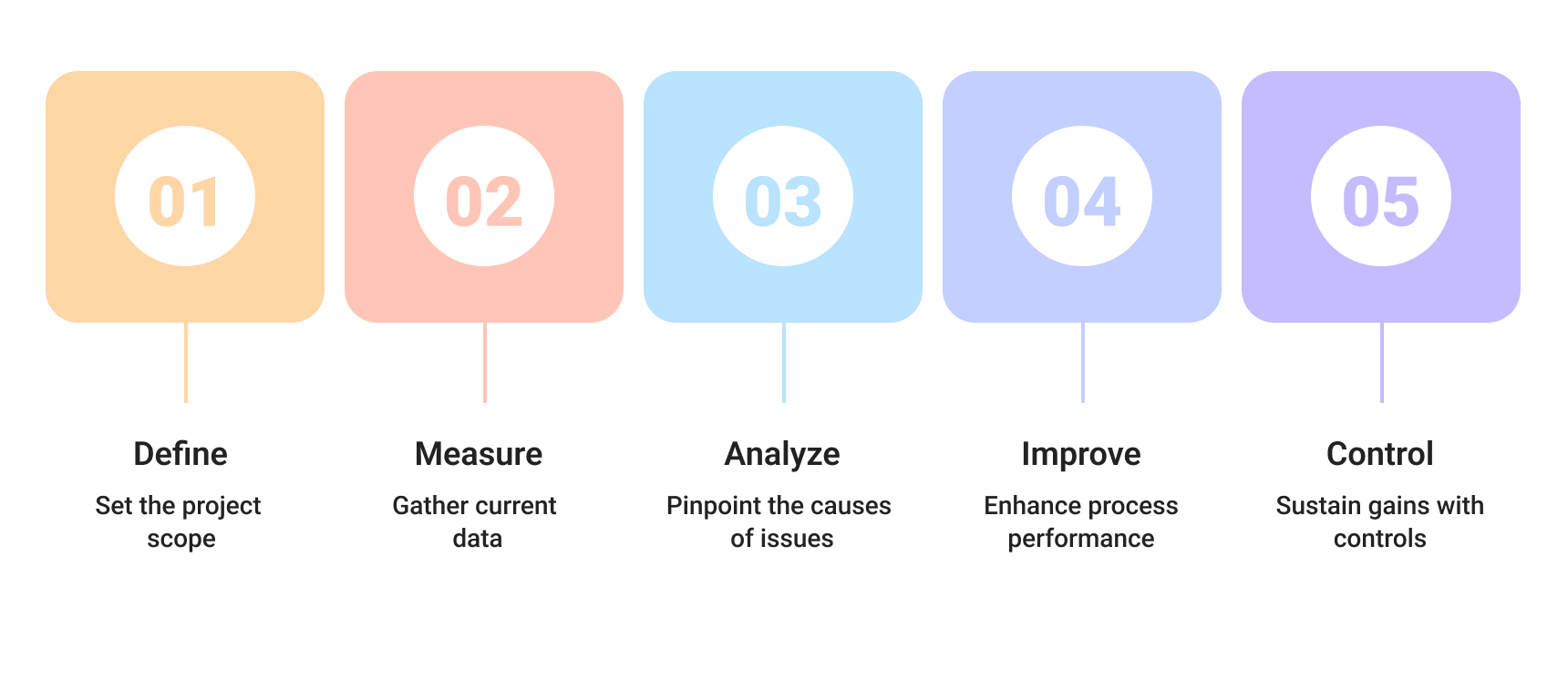
Six Sigma is a data-driven framework focused on improving processes and reducing errors. It is commonly used by larger organizations that require highly structured workflows and detailed performance analysis.
While it may be more complex than other frameworks, Six Sigma can help agencies improve consistency, quality control, and operational efficiency — especially in larger teams or enterprise environments.
Is there good free project management software for agencies?
The reality is that completely free project management software rarely provides everything an agency needs long term. While some platforms offer free plans for small teams or individual users, they usually come with limitations that become restrictive as agencies grow.
Common limitations of free project management tools include:
- Restricted number of users
- Limited projects or storage space
- Fewer collaboration features
- Limited automation and integrations
- Basic reporting capabilities
- Reduced customer support
For freelancers or very small agencies, free plans can still be useful for managing lightweight workflows. However, once client work, team collaboration, and project complexity increase, agencies often outgrow free solutions quickly.
Some agencies also try to rely on general productivity tools like Google Workspace or Microsoft Office to manage projects. While these tools can help organize files and communication, they usually lack the advanced workflow management, visibility, and collaboration features agencies need for efficient project delivery.
Common mistakes agencies make when choosing project management software
Choosing the wrong project management software can create more problems instead of solving them. From poor adoption to workflow inefficiencies, many agencies struggle because they select software based on trends, pricing, or assumptions rather than actual operational needs.
Here are some of the most common mistakes agencies make — and how to avoid them.
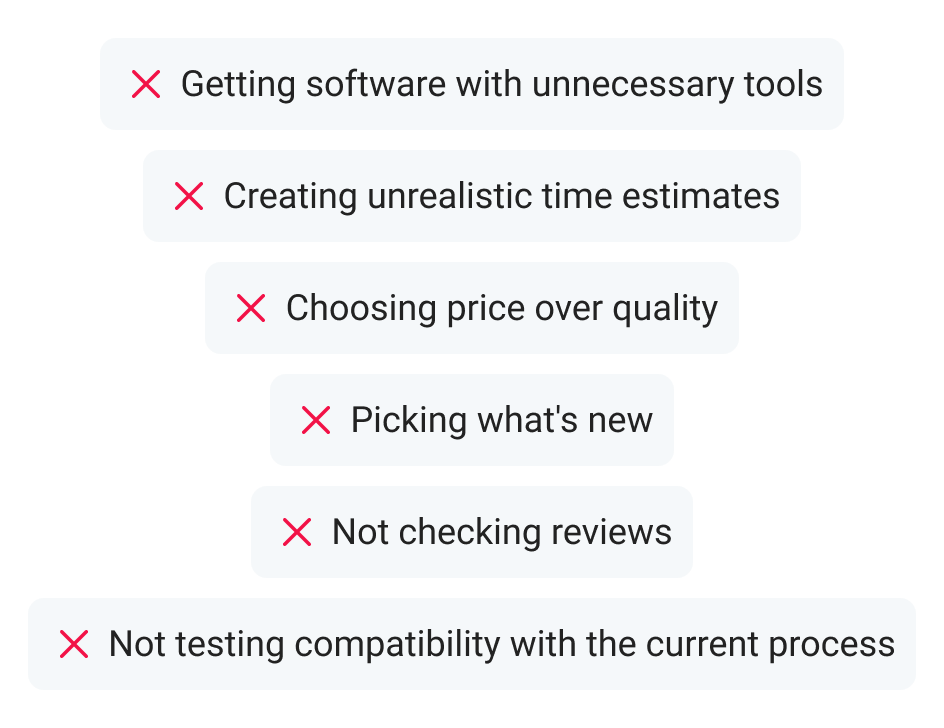
Choosing software that doesn’t fit agency needs
Mistake: One of the biggest mistakes agencies make is selecting software without clearly identifying their workflows, challenges, and operational requirements first.
How to avoid it: Before evaluating platforms, define your agency’s needs, goals, and biggest workflow bottlenecks. Consider factors such as team collaboration, client management, reporting, approvals, workload tracking, and integrations.
Rushing the selection process
Mistake: Many agencies choose software during stressful or busy periods, leading to rushed decisions and poor long-term fit.
How to avoid it: Treat software selection like an internal agency project. Allocate time for research, demos, testing, and team feedback before making a decision.
Prioritizing price over functionality
Mistake:Choosing the cheapest option without considering usability, scalability, or workflow compatibility often leads to inefficiencies and future migration costs.
How to avoid it: Focus on value instead of price alone. The best project management software should improve productivity, collaboration, and operational efficiency — not simply reduce software expenses.
Following trends instead of workflows
Mistake: Just because a platform is popular doesn’t mean it’s the right fit for your agency. Every agency has unique processes, team structures, and project requirements.
How to avoid it: Choose software based on how well it supports your workflows, not because it’s currently trending in the market.
Ignoring reviews and user feedback
Mistake: Skipping research and failing to evaluate customer reviews can lead to poor software decisions.
How to avoid it: Read reviews from agencies similar to yours, watch demos, and look for honest feedback about usability, support quality, scalability, and reliability.
Overlooking integrations with existing tools
Mistake: Some agencies fail to consider whether the software integrates properly with the tools they already use, creating workflow disruptions later.
How to avoid it: Check compatibility with your current ecosystem, including communication tools, CRMs, file-sharing platforms, calendars, billing systems, and creative software.
Agencies that benefit the most from project management software
As agencies grow, managing multiple clients, campaigns, deadlines, approvals, and team members becomes increasingly complex. Without structured workflows and centralized communication, projects can quickly become disorganized, leading to missed deadlines, overloaded teams, and unhappy clients.
That’s why project management software has become an essential tool for modern agencies. It helps teams organize work, improve collaboration, streamline approvals, and maintain visibility across every project stage.
While almost any agency can benefit from project management software, here are some of the industries where it delivers the biggest impact.

Marketing Agency
Marketing agencies manage multiple campaigns, content calendars, deadlines, client approvals, and reporting workflows simultaneously. Project management software helps marketing teams organize campaign planning, assign tasks, monitor progress, and launch projects more efficiently.
From brainstorming ideas to publishing campaigns and tracking deliverables, project management tools help marketing agencies stay organized and improve collaboration between strategists, designers, copywriters, and account managers.
Creative and design agencies
Creative agencies often juggle branding projects, graphic design tasks, revisions, feedback loops, and client approvals — all while managing tight deadlines.
Project management software helps creative teams centralize feedback, organize design workflows, manage revisions, and improve visibility across projects. Features like Kanban boards, proofing tools, file sharing, and task tracking help agencies reduce confusion and streamline collaboration.
Digital agencies
Digital agencies typically handle a combination of marketing, development, SEO, content creation, analytics, and client communication. Since these projects involve multiple departments working together, project management software helps coordinate workflows and maintain transparency.
By centralizing tasks, deadlines, communication, and reporting, digital agencies can improve efficiency and ensure projects move smoothly from planning to delivery.
Advertising agencies
Advertising agencies work on fast-paced campaigns with strict timelines, creative approvals, media planning, and cross-functional collaboration. Project management software helps teams coordinate campaign production, manage deliverables, and monitor progress in real time.
Having a centralized workspace also helps agencies keep client communication, feedback, and campaign assets organized throughout the entire process.
Web development agencies
Web development agencies manage highly structured projects that often involve developers, designers, QA specialists, project managers, and clients simultaneously.
Project management software helps development teams organize sprints, track bugs, manage timelines, and coordinate deliverables more efficiently. Agile workflows, Kanban boards, and task dependencies are especially valuable for agencies handling complex development projects.
Education
The hardest part of teaching is setting up a school year’s lessons across multiple classes. With a great project management app, creating an organized curriculum and syllabus has never been easier, even for a large class.
Faculty members can also utilize the software to better coordinate with each other and set up alerts for assignment/project deadlines.
Video production agencies
Video production projects involve multiple stages including scripting, filming, editing, approvals, publishing, and distribution. Coordinating these moving parts without proper systems can quickly become chaotic.
Project management software helps video agencies manage production timelines, organize creative assets, track revisions, and improve collaboration between production teams and clients.
PR and communications agencies
Public relations agencies manage media outreach, campaign coordination, client approvals, press releases, and event planning under strict deadlines.
Project management software helps PR teams organize communications, monitor campaign progress, assign responsibilities, and maintain visibility across multiple clients and projects simultaneously.
Event agencies
Event agencies coordinate vendors, venues, schedules, production teams, attendees, and logistics for every event they manage. With so many moving parts, strong project organization is critical.
Project management software helps event teams track timelines, manage tasks, coordinate suppliers, and ensure every detail stays on schedule before, during, and after the event.
Branding agencies
Branding agencies often work on long-term strategic projects involving research, creative direction, visual identity design, messaging, and client collaboration.
Project management software helps branding teams organize deliverables, manage approvals, centralize client feedback, and keep projects progressing smoothly through every phase of development.
How many project management tools does an agency really need?
Ideally, an agency should rely on one centralized project management platform rather than juggling multiple disconnected tools.
However, some agencies still use separate platforms for communication, file sharing, documentation, or time tracking when their primary software lacks certain features.
The best project management software for agencies reduces this fragmentation by combining:
- Task management
- Team collaboration
- Calendars and scheduling
- File sharing
- Notes and documentation
- Time tracking
- Reporting and automation
Using fewer disconnected tools helps agencies improve visibility, reduce confusion, and streamline workflows.
Is project management software worth it for agencies?
In most cases, absolutely.
The right project management software can improve much more than task organization. It helps agencies streamline operations, improve communication, reduce missed deadlines, manage workloads more effectively, and increase overall productivity.
For growing agencies, investing in the right software often becomes essential for maintaining quality and operational control.
The best project management software for agencies
Still trying to manage agency projects with spreadsheets, endless email threads, and disconnected tools?
The right project management software can completely transform how your agency operates — improving collaboration, visibility, communication, and project delivery across the board.
If you’re looking for a simple yet powerful platform designed to help teams stay organized without overwhelming complexity, Bordio is a strong option worth considering.
With features like calendar scheduling, Kanban boards, task management, notes, team collaboration, time estimates, and workflow organization, Bordio helps agencies manage projects more efficiently from start to finish.
Instead of adding more chaos to your workflow, Bordio helps bring everything together in one easy-to-use workspace — helping agencies stay organized, productive, and focused on delivering great work.



 Susan Klein